
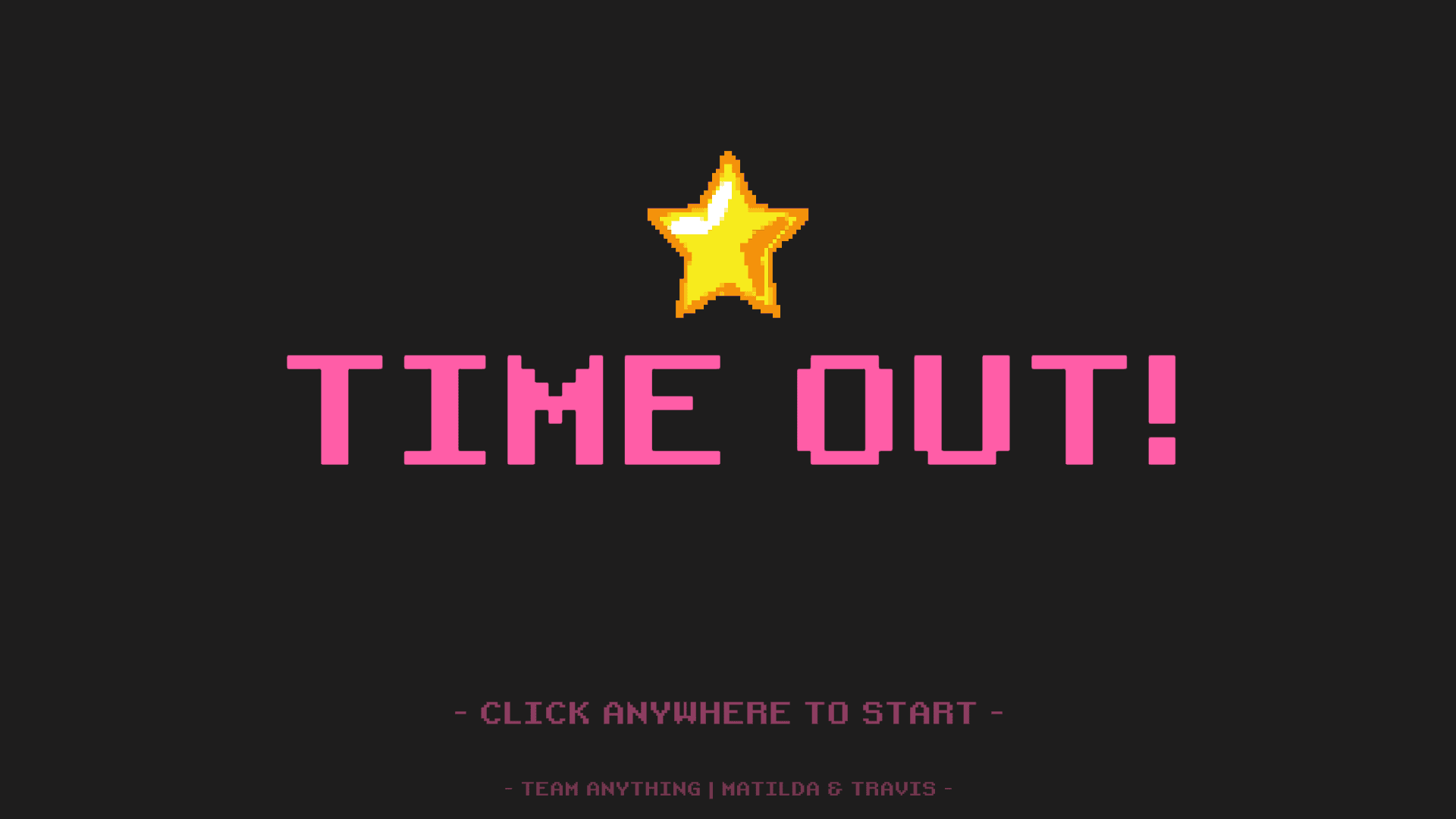
Timeout! is a system-driven 2D arcade-style beat-em-up that utilizes system design to create a game effectively, primarily focusing on the systematic organization and reflection of data which are commonly found in games that save and load data from files without the use of Unity's Player prefs.
In the process of utilizing the data, endless waves of enemies of different permutations could be spawned in until the player is forced to defeat. The following breakdown for the game identifies the data identified and implemented.
Character System & Weapon System
Enemy & Enemy Wave System
EXP / Level Up System
Achievement System
Dialogue System
Saving Game Data
Saving Analytics Data
Saving Achievement Progress Data
When starting out, I identified the game that I had wanted to create using the database and system approach. I decided that I wanted to create a beat-em-up style game, that provides retro themed art with pixel art. With the gameplay idea in mind, I set out to ideate the systems required for each aspect of my game.
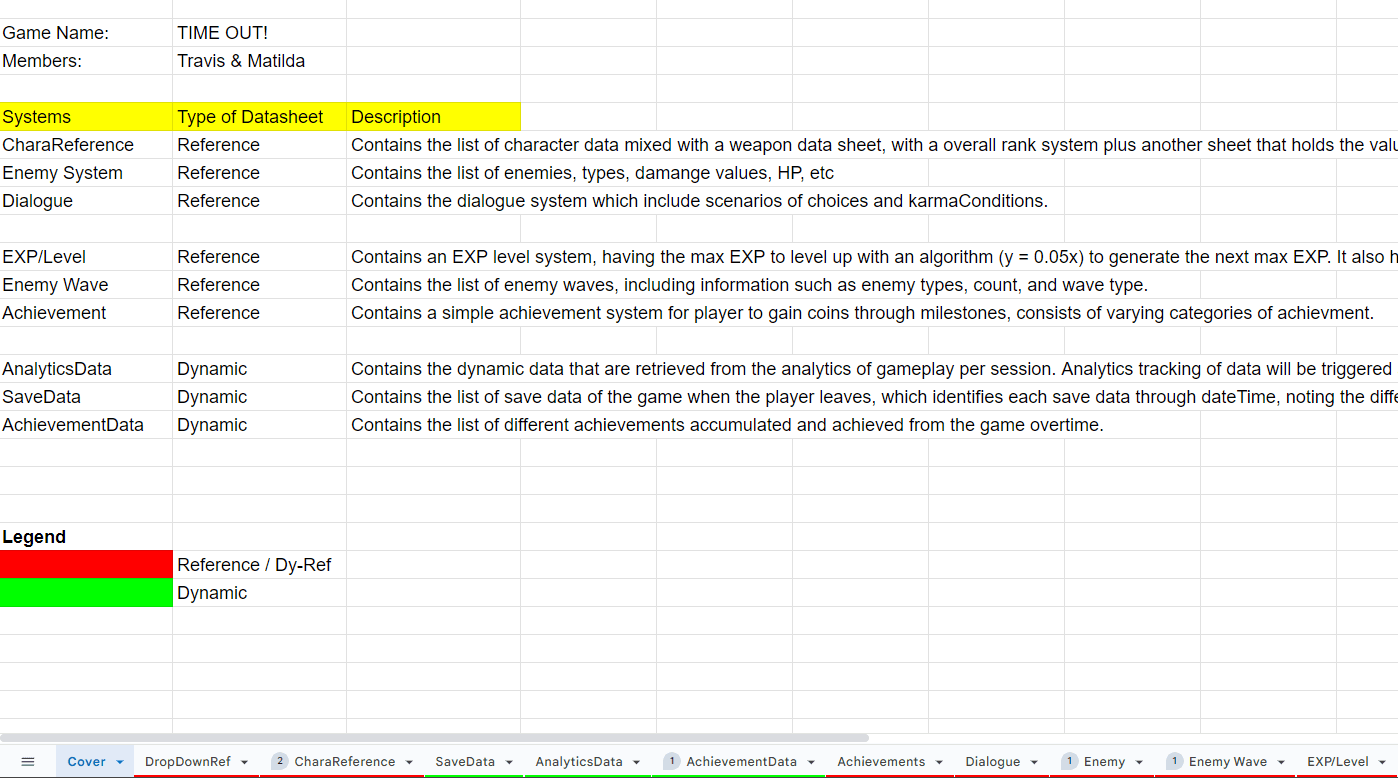
Below is a Google Spreadsheet cover of my different systems to implement. The 1st group of systems are mandatory systems that are required in the game for it to function / required for rubrics. The 2nd group of systems are added systems to make the game function off the systems. The last group of systems are dynamic systems where data is supposed to be uploaded into the respective files as a save file.
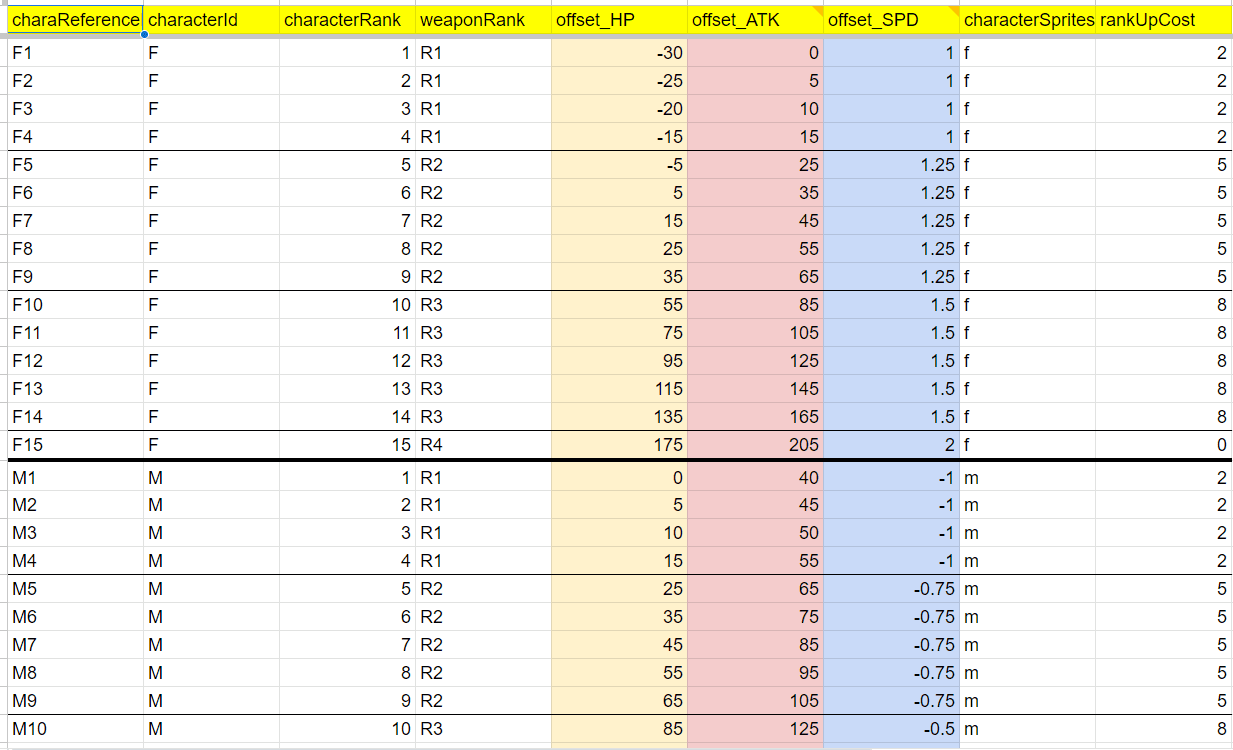
The character reference datasheet primarily caters to all the different permutations of the player's possible classes, level and player stats as a whole.
As shown on the right hand side, there are different columns of information that demarcate the player's different state. This sheet then facilitates the level up details of each player time when categorized by "characterId" from code.
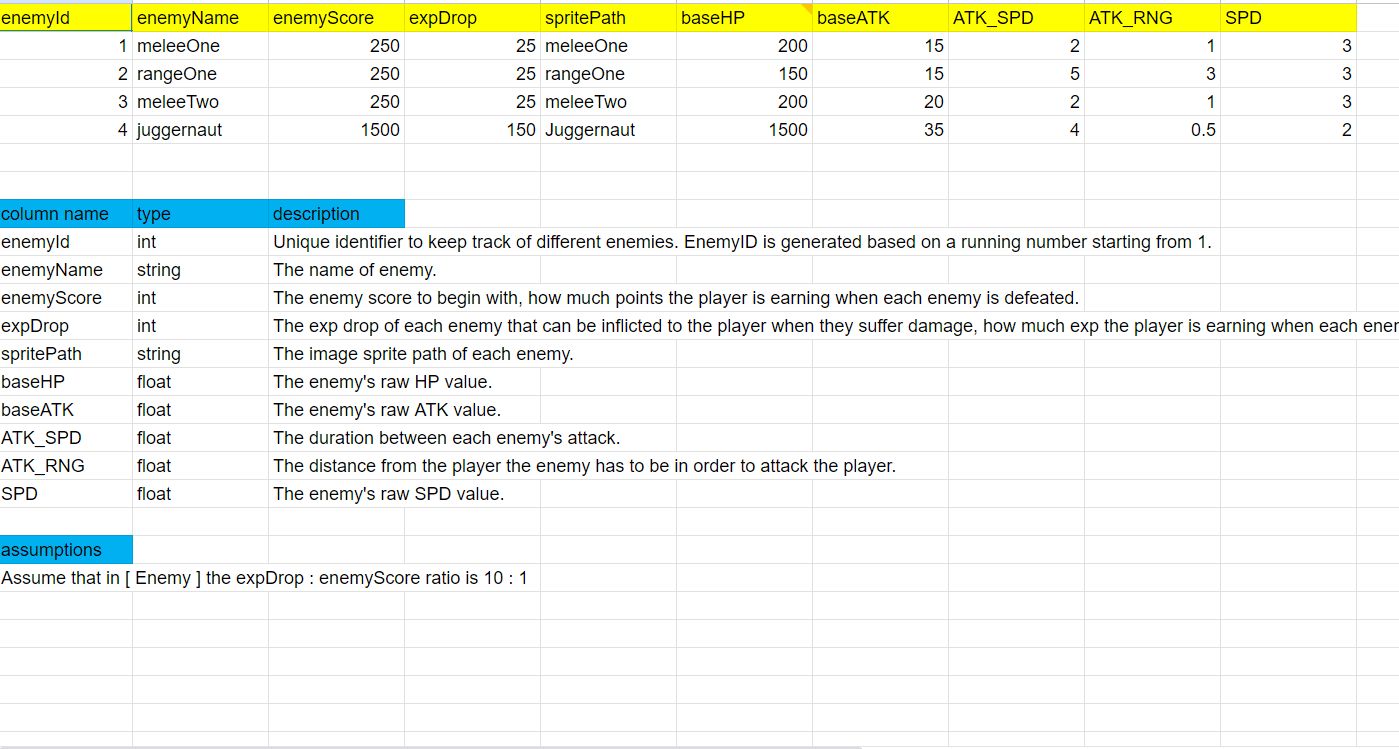
This enemy datasheet consolidates all forms of enemies that will exist in the game. This sheet will tells us in the game what each enemy's statistic is, ranging from Hit points to attack damage and attack frequency.
On the left hand side, there are 4 different enemy times created in my game, thus leading to many possible permutations for the enemies to spawn in waves.
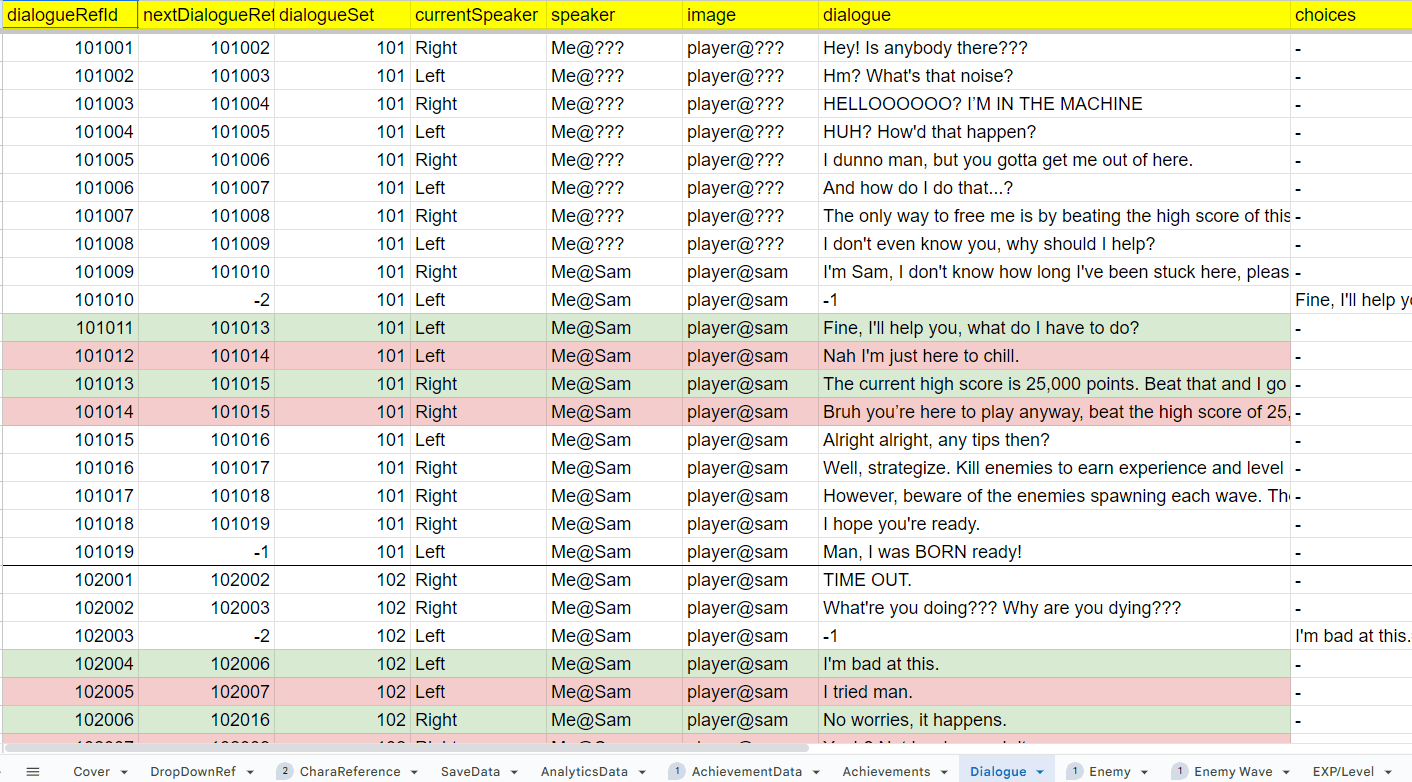
The dialogue datasheet is a culmination of all possible dialogues that exist in the game. This includes the dialogue index, what comes next, where the speaker's position is, etc.
This datasheet can reach extensive lengths for larger plot-based games and is color-coded in the sheets for when players are given a choice and the respective responses they can make.
Given the additional requirements of our project to have at least 3 added systems to our game, I decided to integrate the following engines into this beat-em-up game that I've planned for.
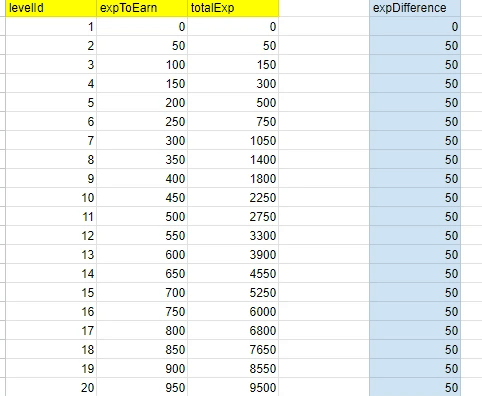
This EXP / Level Datasheet caters to the player's progression, including requirements to reach the next level, such as the next max experience points required to level up, as well as the total experience points required.
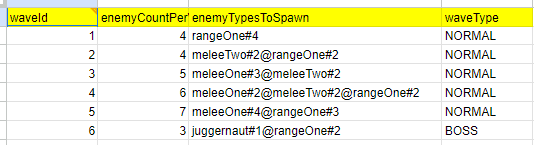
This datasheet contains permutations of the wave properties using the information from the [ Enemy ] Datasheet, identifying the enemy types (@) spawning during this waves, split by a pound (#) symbol to identify how many enemies of this type spawns.
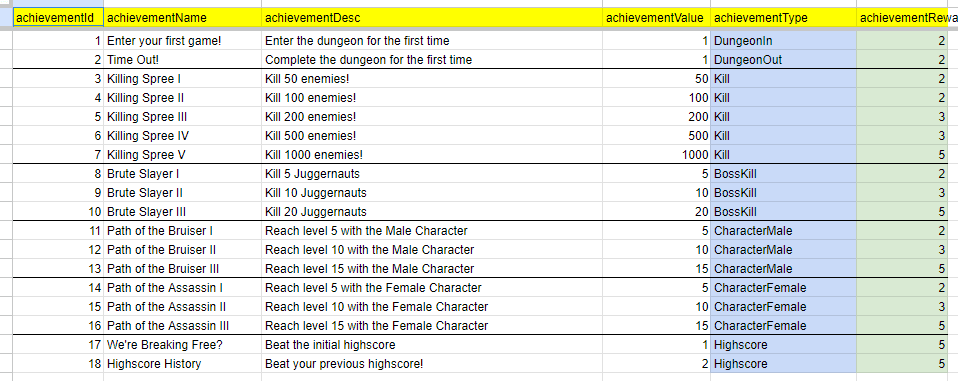
This datasheet contains all the achievements obtainable in the game. It has the names, description, value and an achievement type which differentiates the condition to earn said achievement.
The First Obstacle - How "far back" are you?
Starting out this project, I realized that it required a different approach compared to many of the other 2D games I've since worked on. Since this game isn't necessarily top down nor side scrolling, having a small mix of both, I needed to layer the sprite based on how "far back" they are on the screen given that I didn't want my sprites to clip.
The image below showcases the application of "sprite distancing"
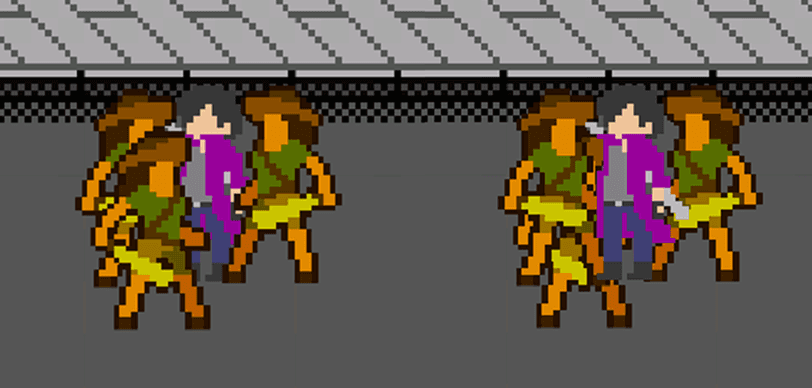
Visually, a beat-em-up needs to have sprites properly layered atop one another based on how "far back" they are on the screen. On the right side is the default settings for 2D layering, though after a little bit of research, I've managed to set a pivot point right by the base of the sprites to determine the layer they should be on, whether it's in front or behind the next sprite.
The Next Problem - Chain attacks? Combos?
Once that issue was resolved, I came across another issue. The character has a 3-hit attack animation that separately deals damage to the enemies. However, I've never done attack combos before and I needed to look into it.
[ Credits to m-acrophage for the sprite assets ]
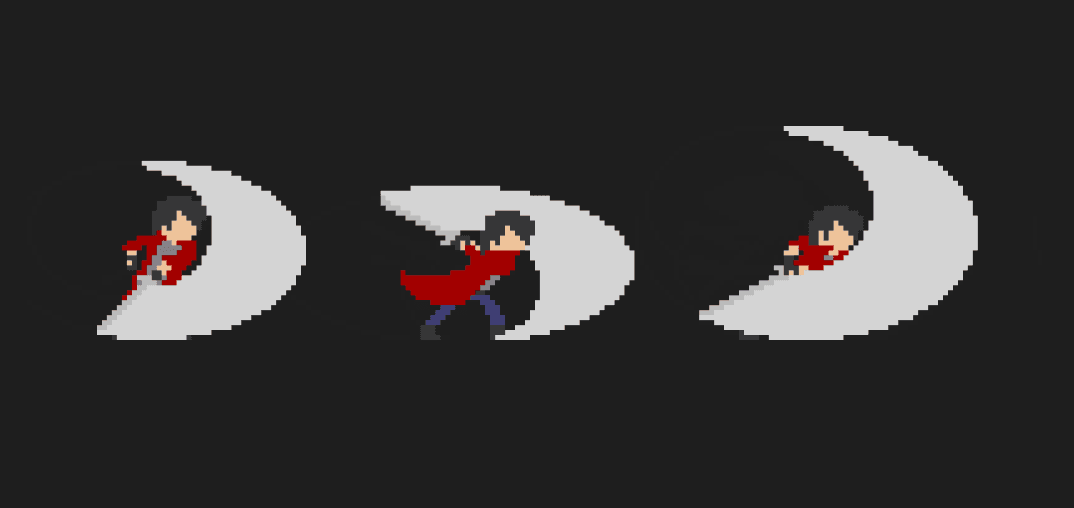
I had to look up some tutorials on how to implement a combo system, which basically utilized a timed animation sequence, mimicking a state machine of sorts. After each attack, there is a period of time where the animation will hold and freeze. During this time, if there is an input, the animation will carry on to the next attack combination. However, if too much time is taken, the character would have recovered from his animation, and the next attack would repeat the first attack animation.
After understanding this process, I implemented the combo sequence for the character and proceeded to create basic enemy AI that track the player and attack at specified distance. Again, these details of the enemies are taken from the [ Enemy ] Datasheet mentioned earlier above.
Wave spawning mechanics
With all the potential problems out of the way, it came down to implementing the game mechanics. This wave spawning mechanic utilizes the [ Enemy Wave ] Datasheet and spawns in a random position around a set spawn point. This randomization allows the enemies to spawn relatively randomly, which removes the anticipation factor and spawn camping the enemies to cheese the game.
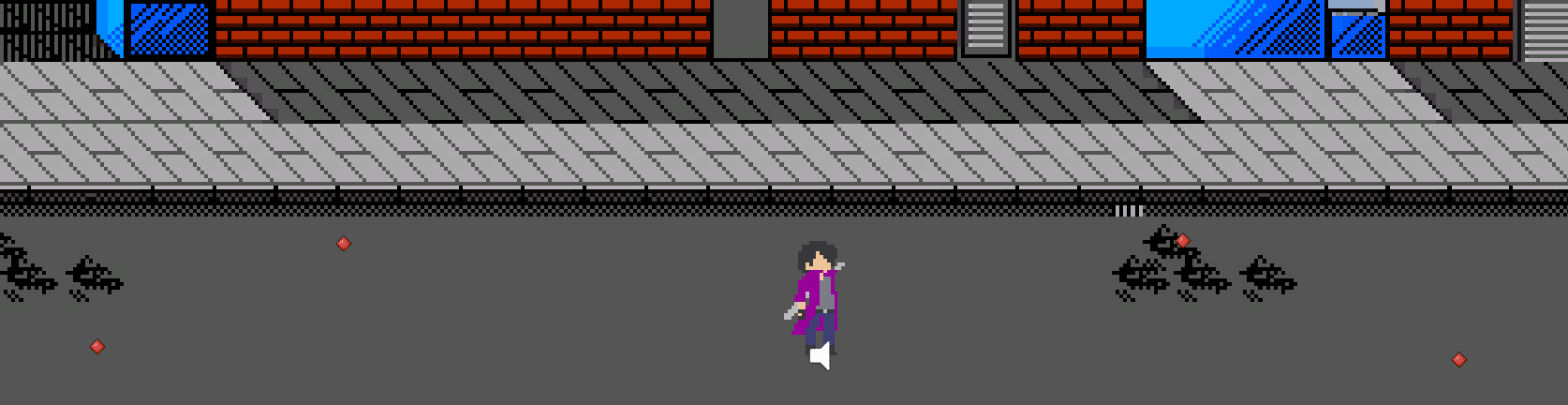
The locations marked in red are the demarcated spawn points of the enemies and provide the enemies a pivot spawn point to spawn around.
What have I Achieved?
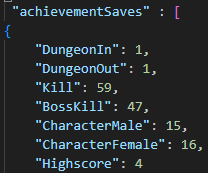
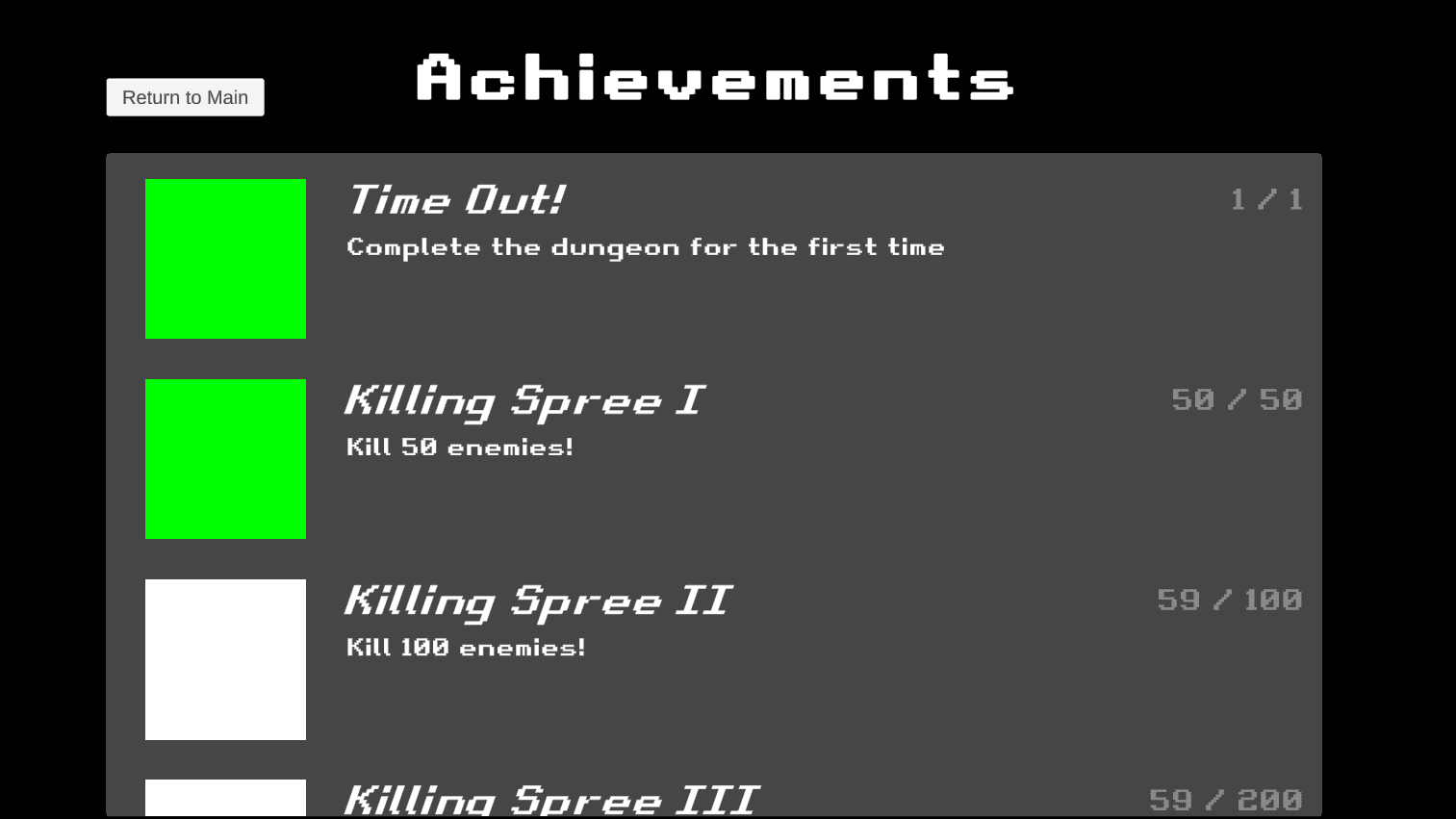
With the rest of the gameplay being completed with ease, I looked toward implementing my achievement system which draws from the [ Achievement ] Datasheet. This was relatively more difficult since it draws from active data that needs to be collected while playing the game.
The first priority I worked on was to ensure that I could write data from the game to a local save file in the ProgramData file path. Once this feature worked, I proceeded to draw required information into the local text save file in the format of JSON. In doing so, I was able to successfully extract data from the game, and went ahead to reflect that in the achievement's page.
What am I fighting for?
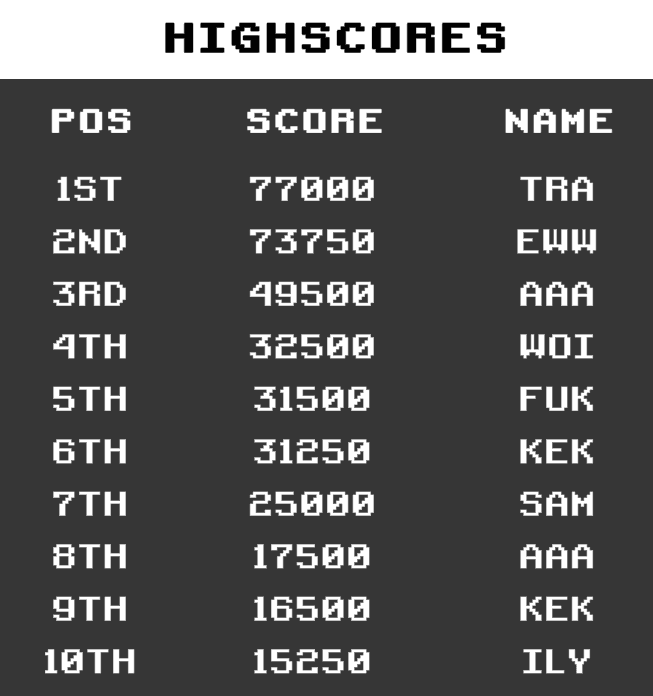
With the project almost complete, I wanted to take it a step further with having a score board. Since this is an arcade game, surely there needs to be a scoreboard. This scoreboard initially acts as the primary goal of surpassing this score when playing the game.
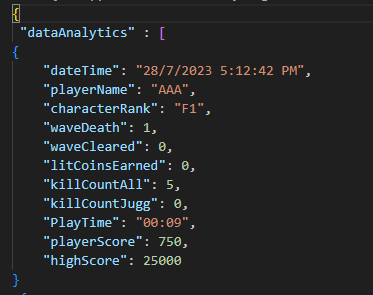
Similar to how the achievements was handled, I drew the score information from the game when the player dies, adding their score to a list of scores that are saved locally onto the device. These analytics data was tracked and also saved into a JSON file format.
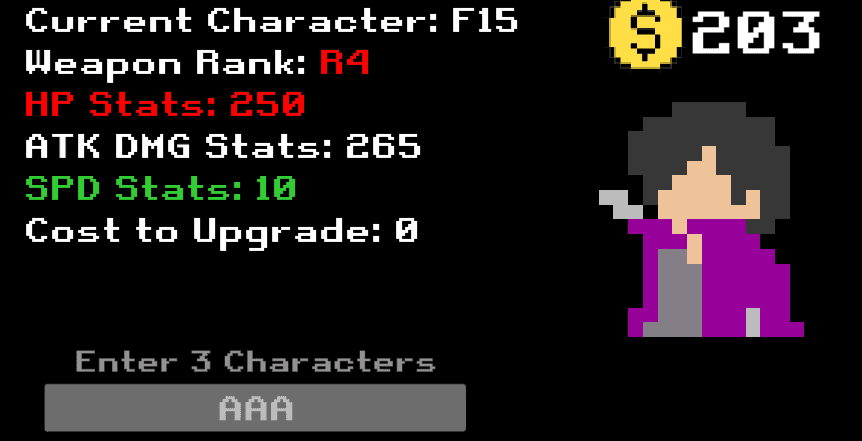
With the high score system complete and the home screen showcasing the stats of the currently selected player, the game was good to go for submission!
This project has been complete with all the systems implemented, utilized and functioning live. All the requirements are met and I managed to score an "A" (GPA score worth 5.0) for the project.
Thank you for reading! Do check out some of my other projects in the project tab!