




Overview
Timeout! is a system-driven 2D arcade-style beat-em-up that utilizes system design to create a game effectively, primarily focusing on the systematic organization and reflection of data which are commonly found in games that save and load data from files without the use of Unity's Player prefs.
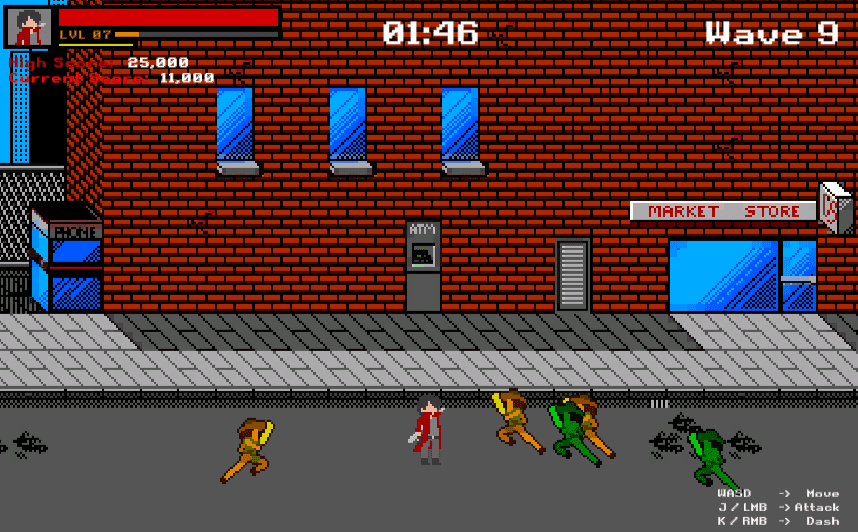
After purchasing a brand new arcade machine, you realized that you've bought more than what you had asked for. An unknown entity exists inside the machine and his name is SAM. Beat the existing high score and rescue SAM from the machine!
Learning Points
Database-Driven Game Systems
Throughout the development of Timeout!, I learned to manage in-game data using external databases integrated through Excel sheets. By loading and saving data directly from local CSV files, I developed a deeper understanding of how real-world games handle persistence and data management beyond Unity’s built-in systems.
Combat Mechanics & Wave Generation
I explored the design and implementation of combo-based attack systems, ensuring fluid transitions between hits and player inputs. Additionally, I worked on generating enemy waves dynamically, creating a balance between pacing, difficulty, and engagement in each encounter.
Addressables
This project was the project that I started exploring the usage of addressables. Understanding and utilizing it to load assets like the character sprites, lowering the size of the game file by ~2 MB.
Roles & Contributions
Game Programmer
I was responsible for developing core gameplay systems, including combat flow, enemy wave logic, and data management. My focus was on maintaining scalability and system efficiency while ensuring smooth integration between gameplay and data structures.
Game Designer
Beyond programming, I contributed to designing player progression, combat rhythm, and level pacing. I worked closely on translating design concepts into actionable systems that supported the game’s systemic and narrative goals.
Development Process
Data Types
Given the context of this arcade game, we would require endless waves of enemies with different permutations to spawn in until the player is forced to defeat. With that in mind, we'd need to break down the system data into 2 different types of data.
Static System Data (Unchanging Data)
Unchanging data, or static data, will be the dataset that we primarily extract information from into the game in order for the game to run.
Character System & Weapon System
Enemy & Enemy Wave System
EXP / Level Up System
Achievement System
Dialogue System
Dynamic System Data (Changing Data)
The changing data, or dynamic data, will be the dataset that we primarily extract information from into the game in order for the game to run.
Saving Game Data
Saving Analytics Data
Saving Achievement Progress Data
The Excel-lent Development
Starting out, I utilized the Google Spreadsheet and made a cover of the different systems I was looking to implement, splitting them into 3 different categories.
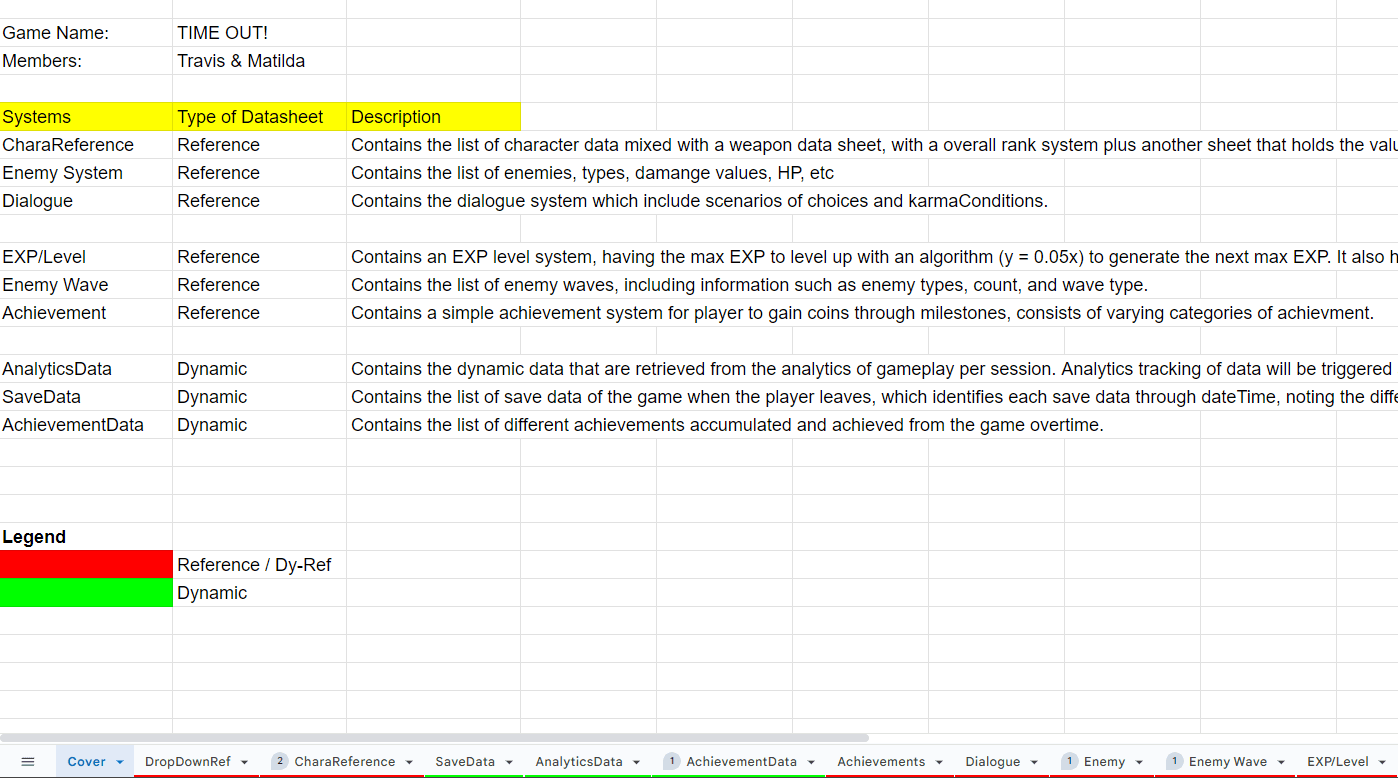
The first set of datasheets are functional data. This dataset is core to the game's function and process of execution. It is also the mandated systems for the assignment during production
The second set of datasheets are the remaining static data. This dataset is important for gameplay functionality and difficulty progression.
The third and final set of data sheets are for the dynamic data. These data sheets are structures for saving and loading the information in and out of the game.
[ CharaReference ]
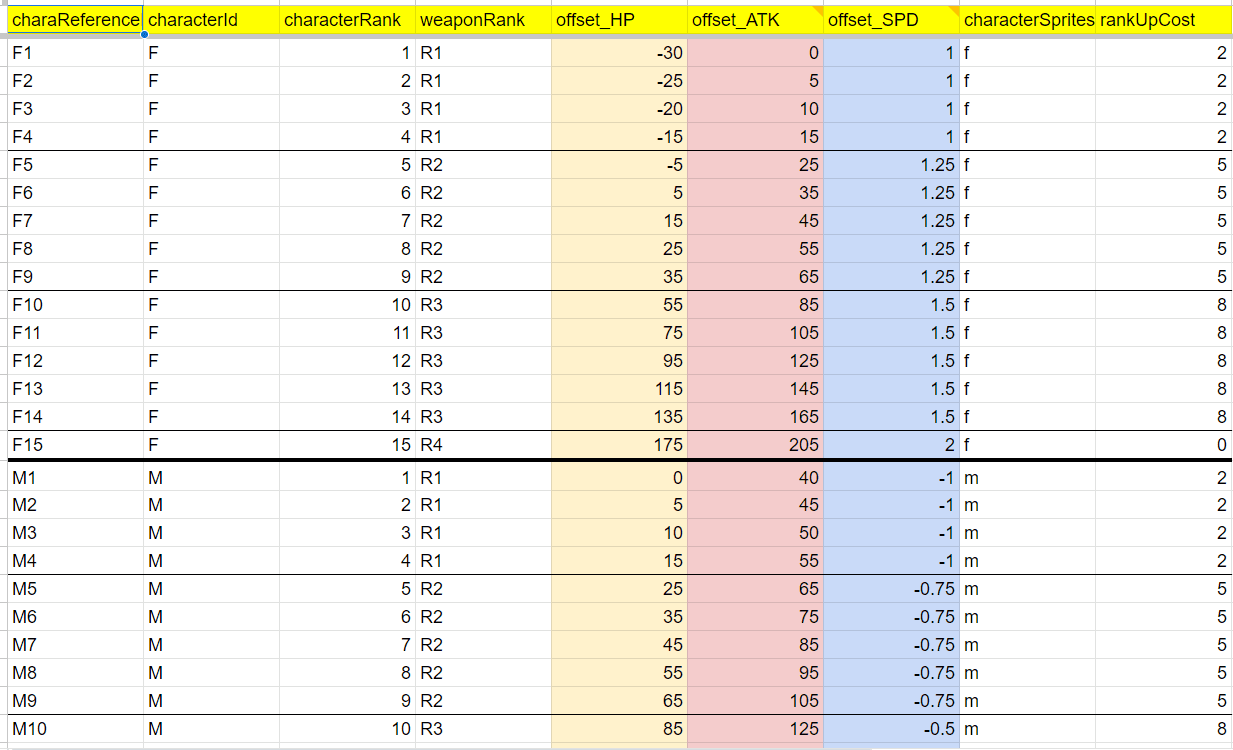
The character reference datasheet primarily caters to all the different permutations of the player's possible classes, level and player stats as a whole.
As shown on the right hand side, there are different columns of information that demarcate the player's different state. This sheet then facilitates the level up details of each player time when categorized by "characterId" from code.
[ Enemy System ]
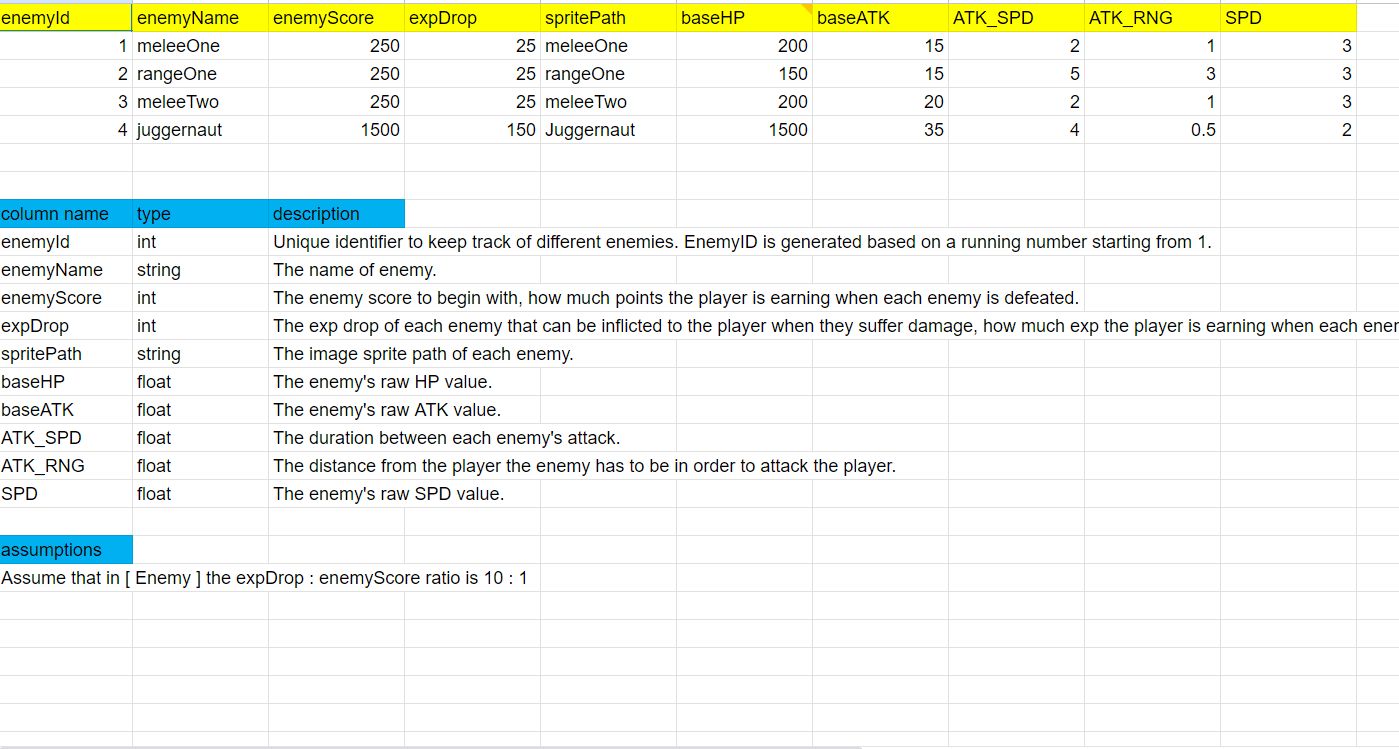
This enemy datasheet consolidates all forms of enemies that will exist in the game. This sheet will tells us in the game what each enemy's statistic is, ranging from Hit points to attack damage and attack frequency.
On the left hand side, there are 4 different enemy times created in my game, thus leading to many possible permutations for the enemies to spawn in waves.
[ Dialogue ]
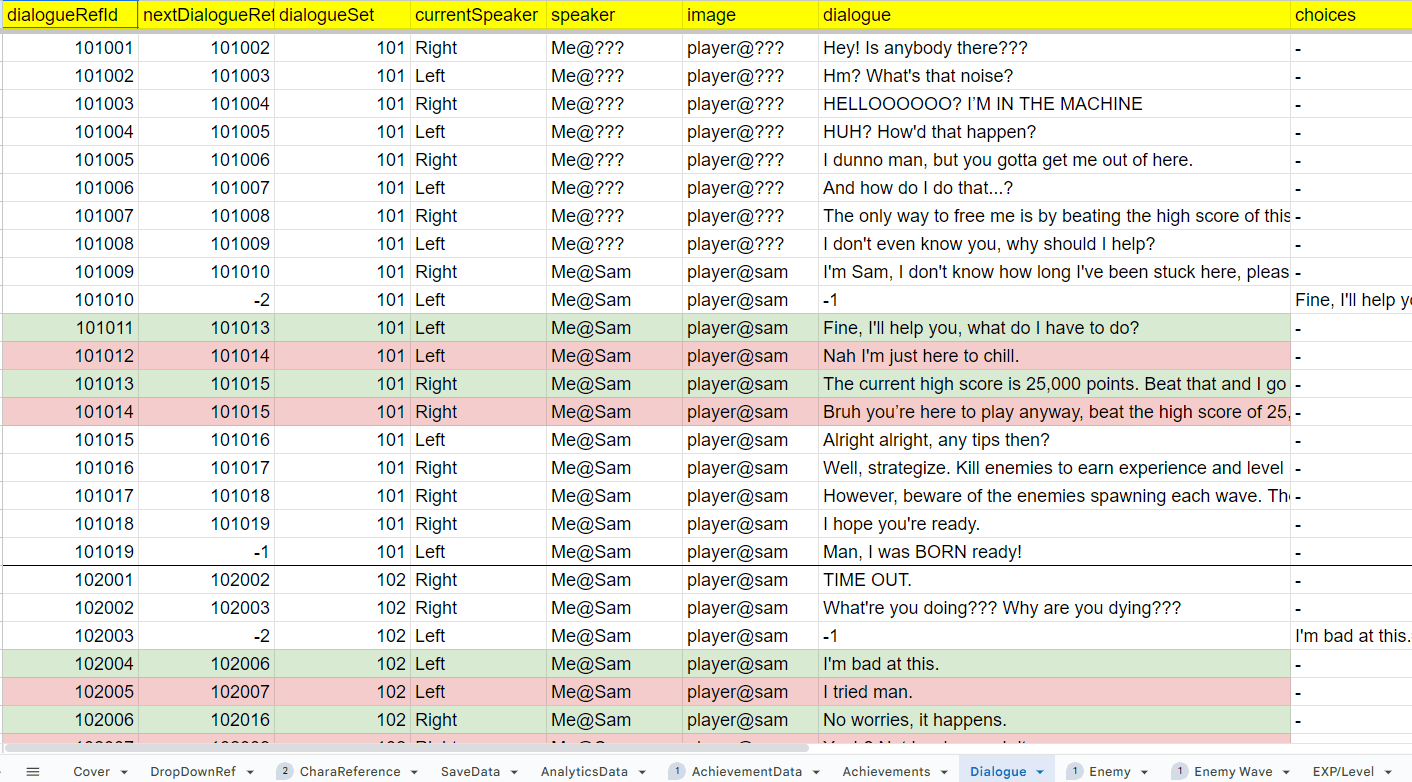
The dialogue datasheet is a culmination of all possible dialogues that exist in the game. This includes the dialogue index, what comes next, where the speaker's position is, etc.
This datasheet can reach extensive lengths for larger plot-based games and is color-coded in the sheets for when players are given a choice and the respective responses they can make.
[ EXP / Level ]
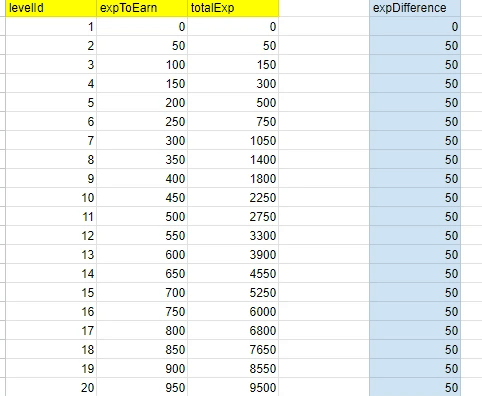
This EXP / Level Datasheet caters to the player's progression, including requirements to reach the next level, such as the next max experience points required to level up, as well as the total experience points required.
[ Enemy Wave ]
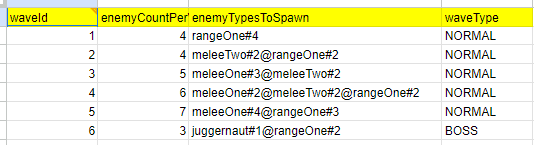
This datasheet contains permutations of the wave properties using the information from the [ Enemy ] Datasheet, identifying the enemy types (@) spawning during this waves, split by a pound (#) symbol to identify how many enemies of this type spawns.
[ Achievement ]
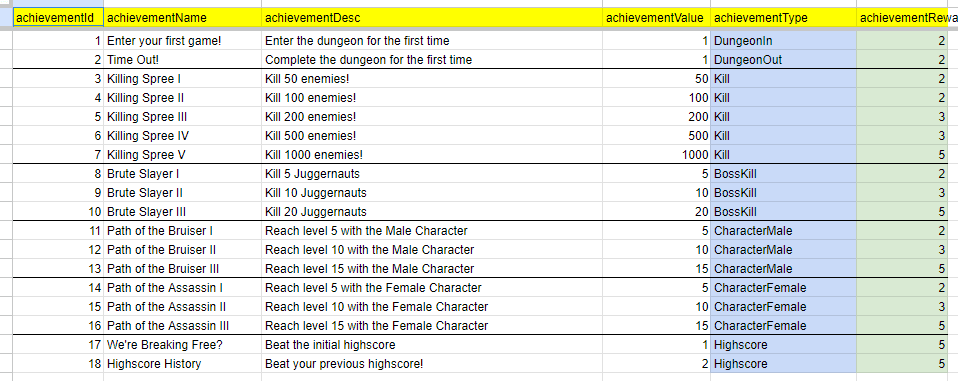
This datasheet contains all the achievements obtainable in the game. It has the names, description, value and an achievement type which differentiates the condition to earn said achievement.
Building the Unity Project - Challenges
How "Far Back" are you?
Starting out this project, I realized that it required a different approach compared to other 2D games I've since worked on. Since the game is not explicitly top-down nor side-scrolling, I needed to layer the sprites based on how "far back" they are on the screen, given that I don't want my sprites to clip in a weird way.
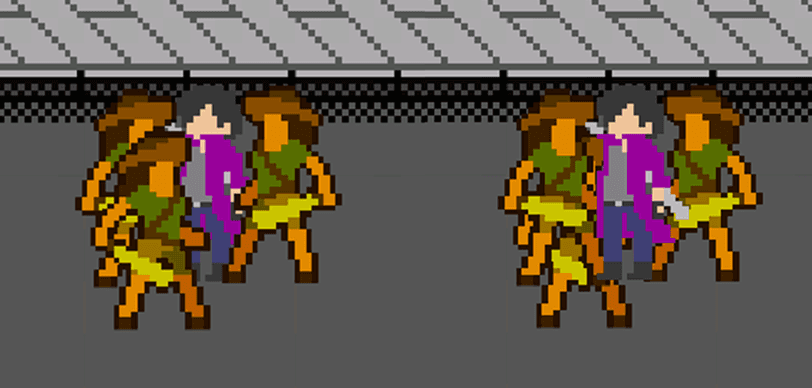
Visually, a beat-em-up needs to have sprites properly layered atop one another based on how "far back" they are on the screen. On the right side is the default unity 2D layering setting. After some researched, I've managed to adjust the layer of my sprites relative to a pivot point Y axis in the unity settings as shown on the left.
Chain Attacks? Combos? Hitstop?

The next learning point for me was how to create combo attacks and make it feel impactful.
After looking up some tutorials, I understood that it essentially follows a state machine and timing inputs during set animation windows. After understanding the principle of combo attacks, I implemented it, together with some hit-stop elements and screen shake to give it a little more impact.
Wave Spawning Mechanics
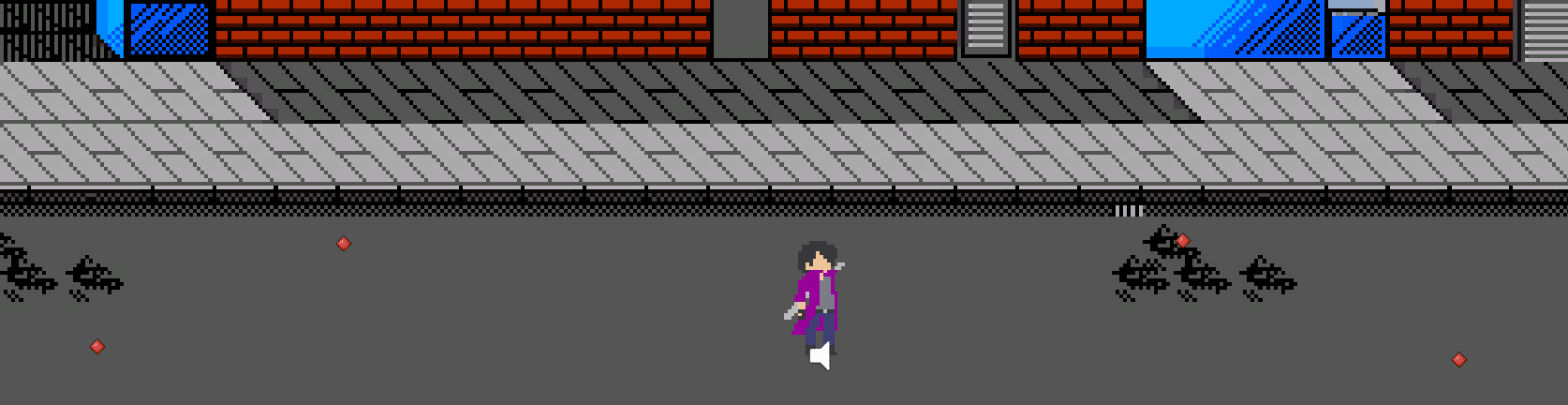
This wave spawning mechanic utilizes the [ Enemy Wave ] Datasheet and spawns in a random position around a set spawn point. This randomization allows the enemies to spawn relatively randomly, which removes the anticipation factor and spawn camping the enemies to cheese the game.
The locations marked in red are the demarcated spawn points of the enemies and provide the enemies a pivot spawn point to spawn around.
What have I achieved?
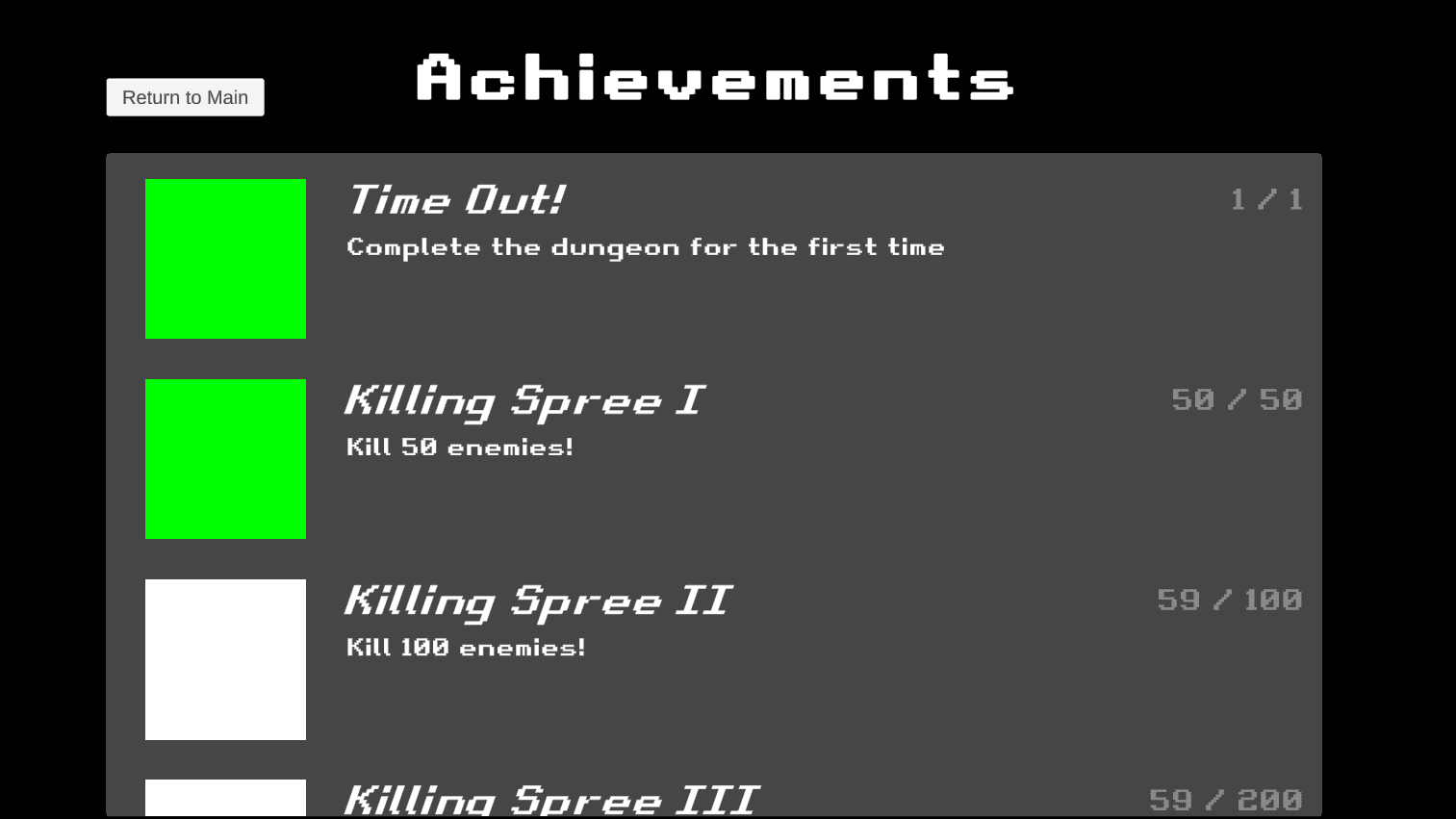
With the rest of the gameplay being completed with ease, I looked toward implementing my achievement system which draws from the
[ Achievement ] Datasheet. This was relatively more difficult since it draws from active data that needs to be collected while playing the game.
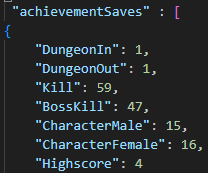
The first priority I worked on was to ensure that I could write data from the game to a local save file in the ProgramData file path. Once this feature worked, I proceeded to draw required information into the local text save file in the format of JSON. In doing so, I was able to successfully extract data from the game, and went ahead to reflect that in the achievement's page.
What am I fighting for?
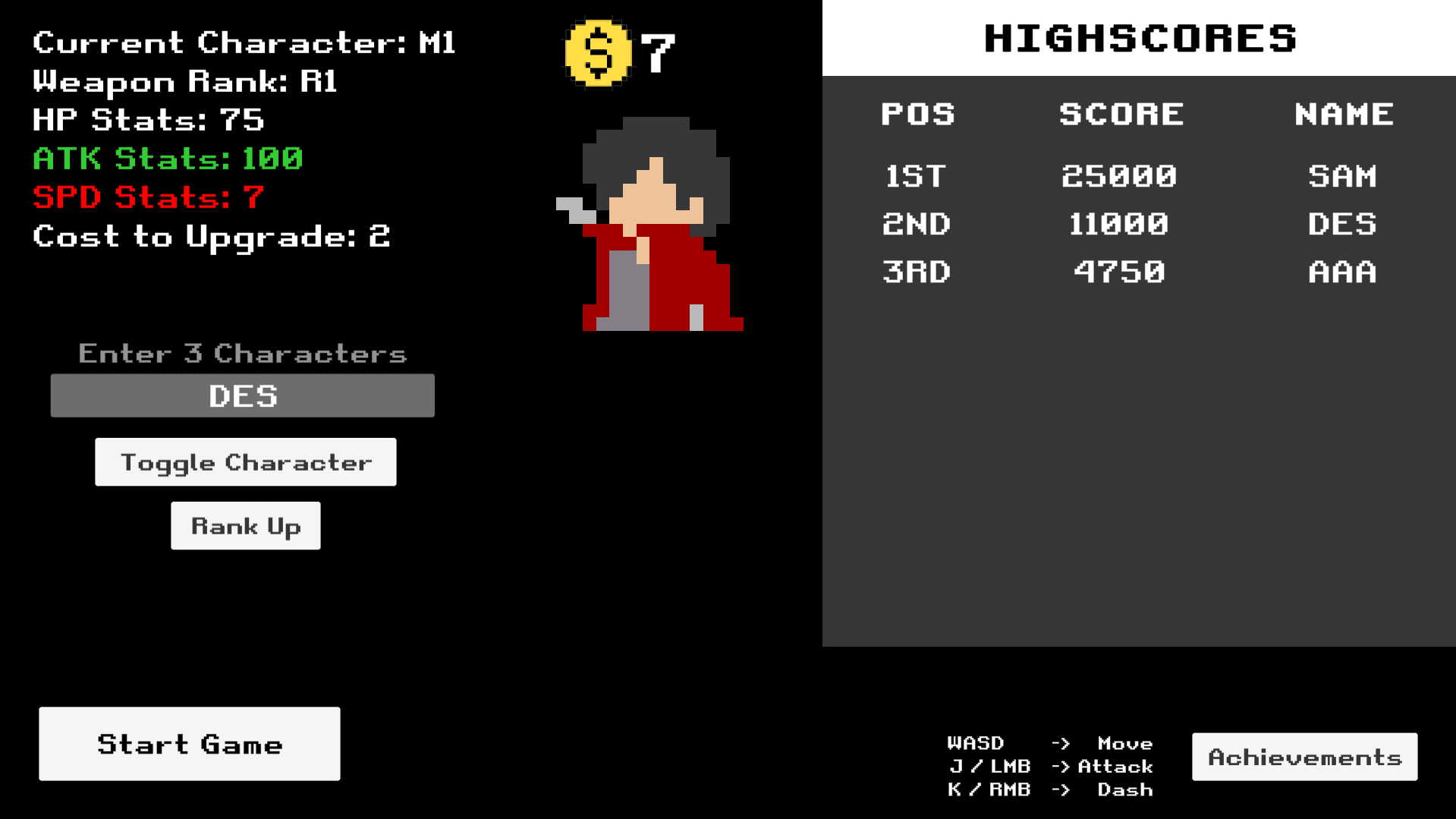
With the project almost complete, I wanted to take it a step further with having a score board. Since this is an arcade game, surely there needs to be a scoreboard. This scoreboard initially acts as the primary goal of surpassing this score when playing the game.
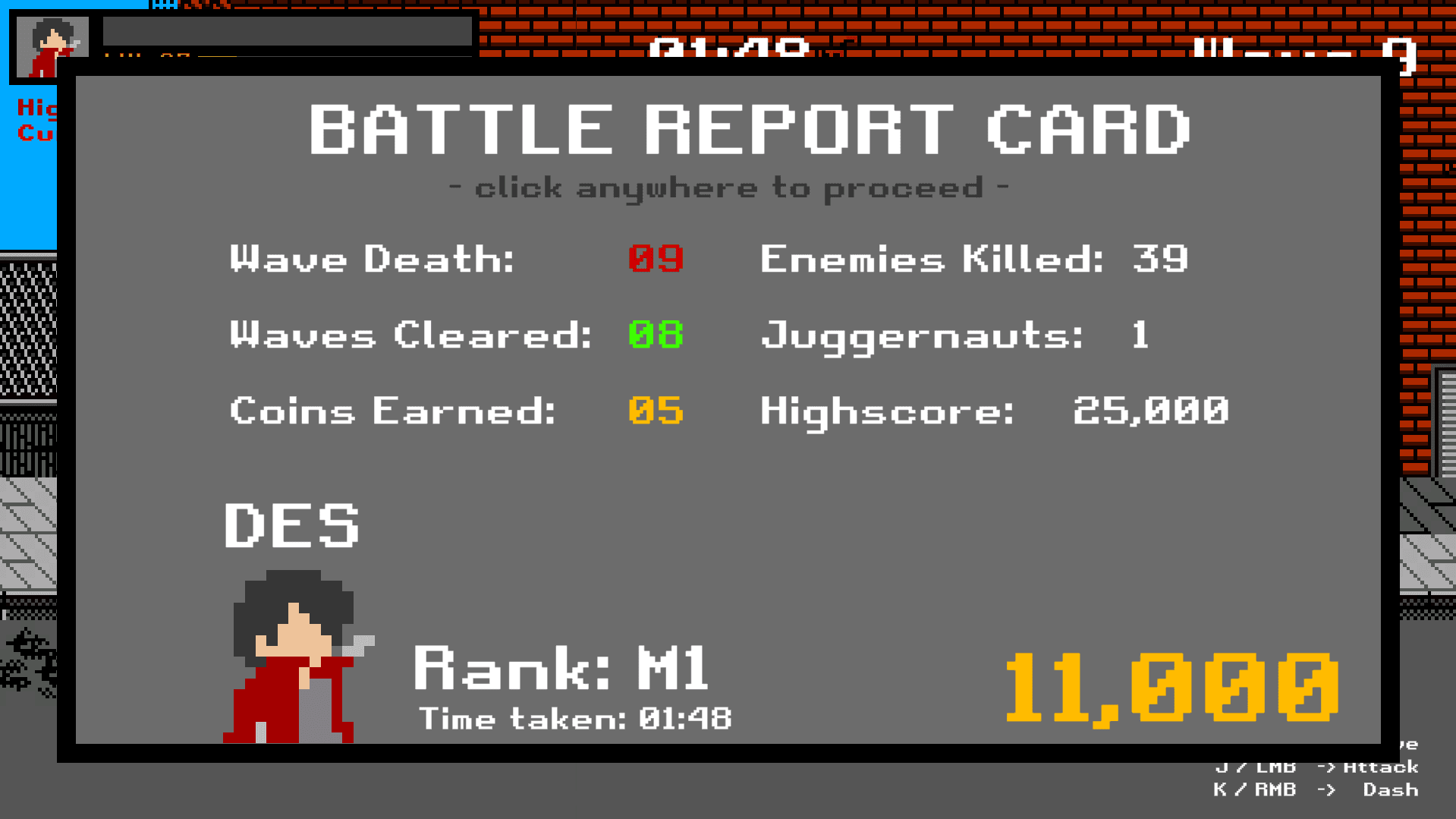
Similar to how the achievements was handled, I drew the score information from the game when the player dies, adding their score to a list of scores that are saved locally onto the device. These analytics data was tracked and also saved into a JSON file format.
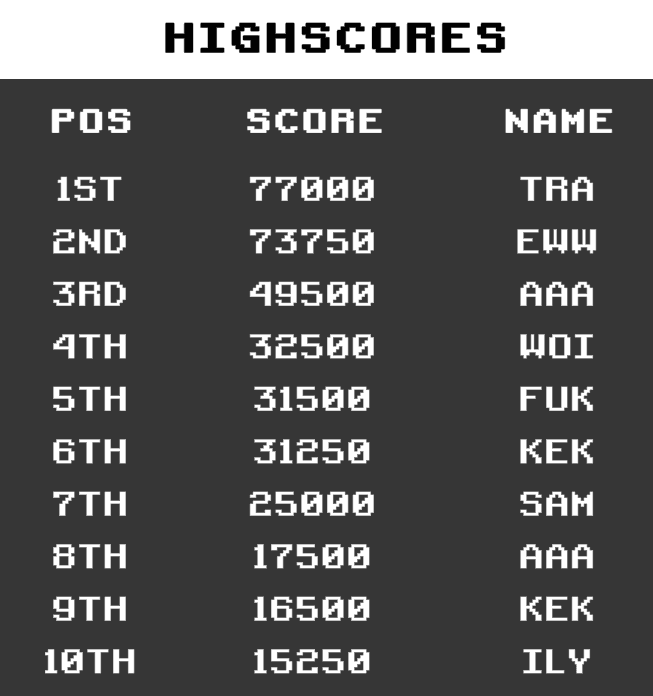
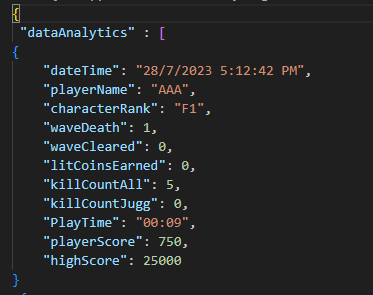
With the high score system complete and the home screen showcasing the stats of the currently selected player, the game was good to go for submission!